July 5, 2024
Incorporating Mobile App Design Inspiration Into Your Process
Learn how to use Mobbin, the largest real-world mobile design inspiration source, to enhance your workflow.
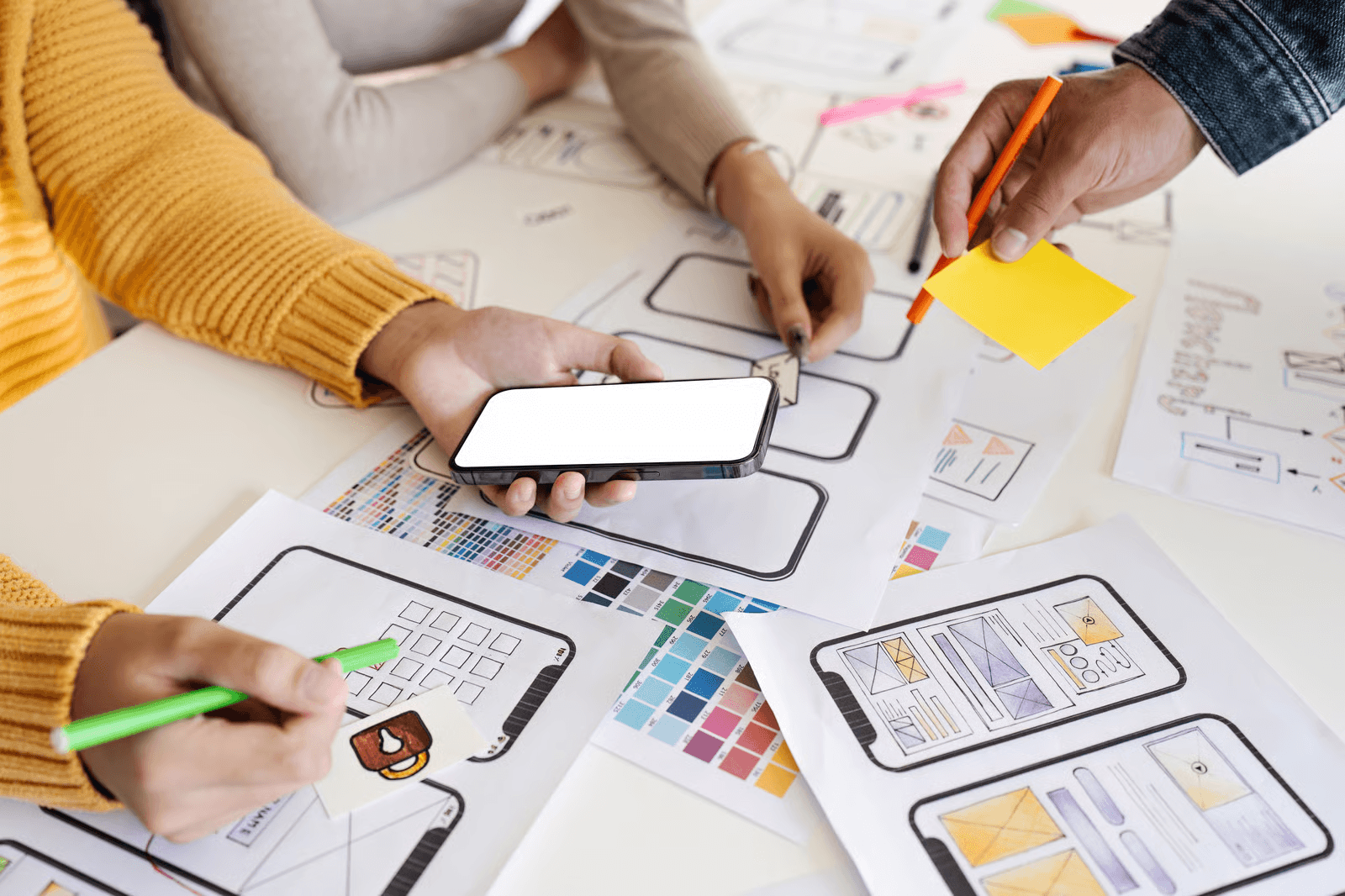
As designers, we are always looking for inspiration to spark creativity in new projects and to discover outstanding examples of features, UI elements, and user flows. Designing for mobile apps comes with its own set of challenges, such as limited screen real estate and the need to adhere to standardized design patterns across iOS and Android.
This post will show you how to elevate your design process through comprehensive research and inspiration from mobile app designs, using Mobbin. As the largest real-world source of mobile design inspiration, Mobbin offers a vast library of over 300,000 screens from more than 1,000 iOS, Android, and web apps.
Explore how to integrate mobile app inspiration into your design process through these core themes:
Ethical Design Considerations
Accessibility Considerations
Psychological impact
Competitive Analysis
Mood Boards and Design Language Development
UI/UX Best Practices
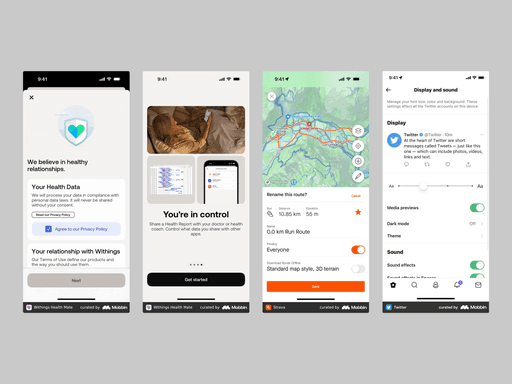
This image highlights mobile app designs that emphasize transparency around data sharing and user privacy, and that make it easy to adjust font size and enable dark mode. The Withings app showcases transparent health data usage and options for sharing information with healthcare providers or coaches. The Strava app offers clear, accessible privacy settings, while Twitter makes font size and dark mode easy to access.
Ethical design considerations
Ethical design in mobile apps involves considering user privacy, avoiding dark patterns, ensuring inclusivity, and promoting sustainability. Exploring mobile design inspiration provides excellent examples of these principles in action.
Privacy
Privacy is a major concern for many users. Apps that prioritize privacy are becoming increasingly popular because they are transparent about data usage and give users control over their information. Studying these privacy-focused apps helps us understand how to build trust by making users feel secure and valued.
Dark Patterns
Dark patterns are deceptive design strategies that manipulate users into taking unintended actions, such as making accidental purchases or sharing more information than intended. By identifying apps that avoid these tactics, we highlight the importance of ethical design decisions that respect user choices and foster a positive digital environment.
Inclusive Design
When creating digital products, it’s essential to consider the needs of all users, including those with disabilities. Apps that prioritize inclusive design often incorporate features such as text-to-speech, adjustable font sizes, and high-contrast color schemes. These thoughtful design choices help ensure a seamless and enjoyable experience for everyone, regardless of ability.
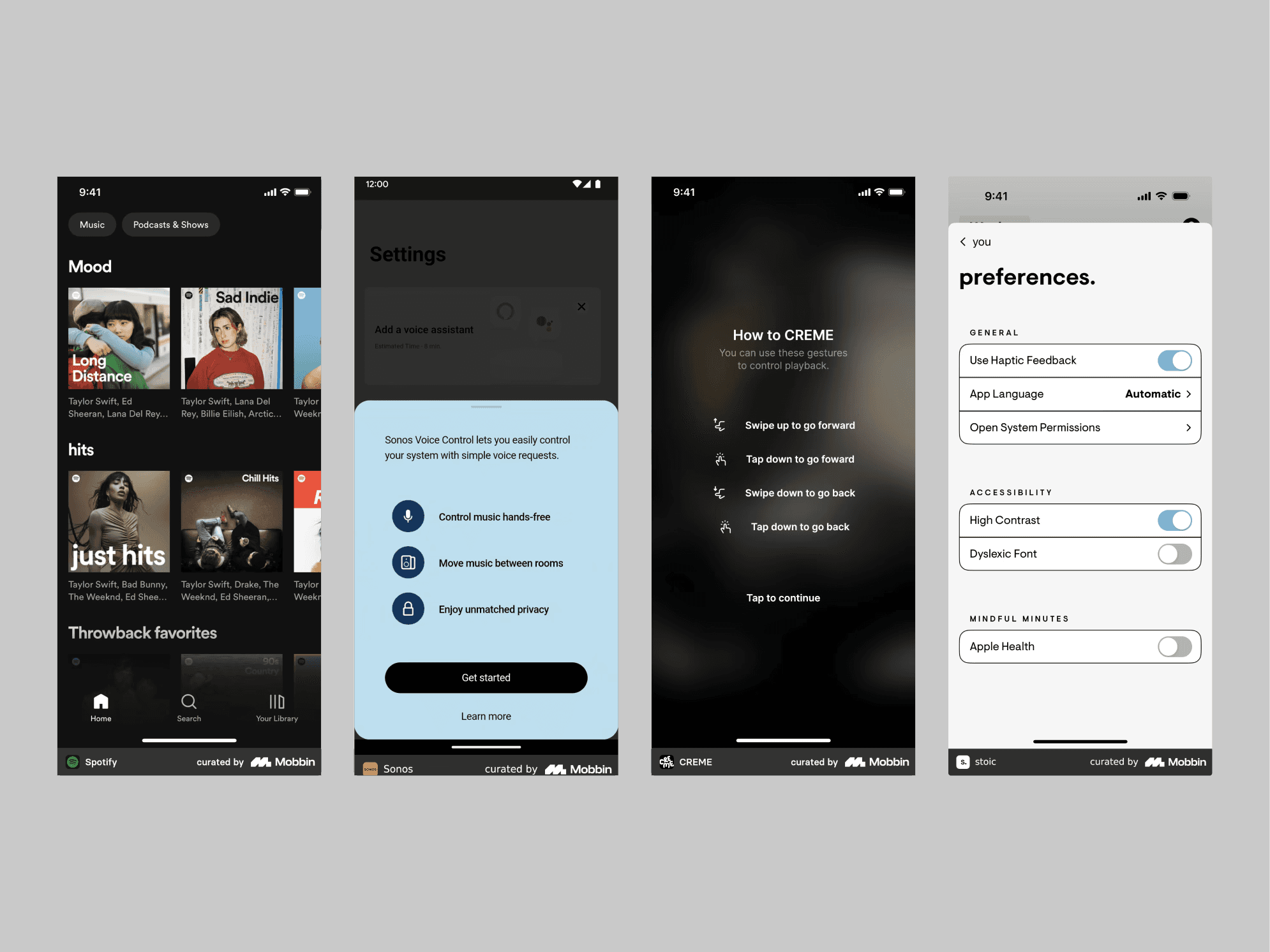
This image showcases mobile apps designed with accessibility in mind, highlighting features like high-contrast settings, voice controls, and custom gestures. Spotify demonstrates high-contrast design, Sonos emphasizes voice commands, Creme offers diverse gesture functionality, and Stoic provides controls with high-contrast and dyslexic-friendly fonts.
Accessibility Considerations
When designing mobile apps, accessibility features for inclusive design are essential. These may include voice control, color contrast and typography adjustments, gesture customization, and screen reader optimization. Incorporating these features is not just an enhancement but a necessity, helping to bridge the gap between technology and its users.
Voice Control Integration
Integrating voice commands into mobile apps can transform accessibility—especially when users are on the move. Imagine navigating an app hands-free while walking or cooking. Voice control makes apps more convenient for all users, and especially for those with physical disabilities. By enabling voice interactions, apps shift the user experience from tapping and swiping to speaking, making the digital world more inclusive.
Color Contrast and Typography
Mobile screens come in all sizes, and users interact with them in a variety of lighting conditions. Apps that utilize high-contrast color schemes and legible fonts are easier to use, especially for people with vision impairments. These design choices can mean the difference between a frustrating experience and a smooth one. By focusing on these details, designers can ensure that content is comfortable to engage with—even on small screens—for all users, regardless of their vision capabilities.
Gesture Customization
Customizable gestures significantly enhance mobile accessibility. Allowing users to modify gestures based on their physical needs or preferences enables apps to serve a broader audience. Flexibility is essential, as standard solutions may not suffice for everyone. By supporting alternative gestures and adjustable swipe sensitivity, mobile apps become more inclusive.
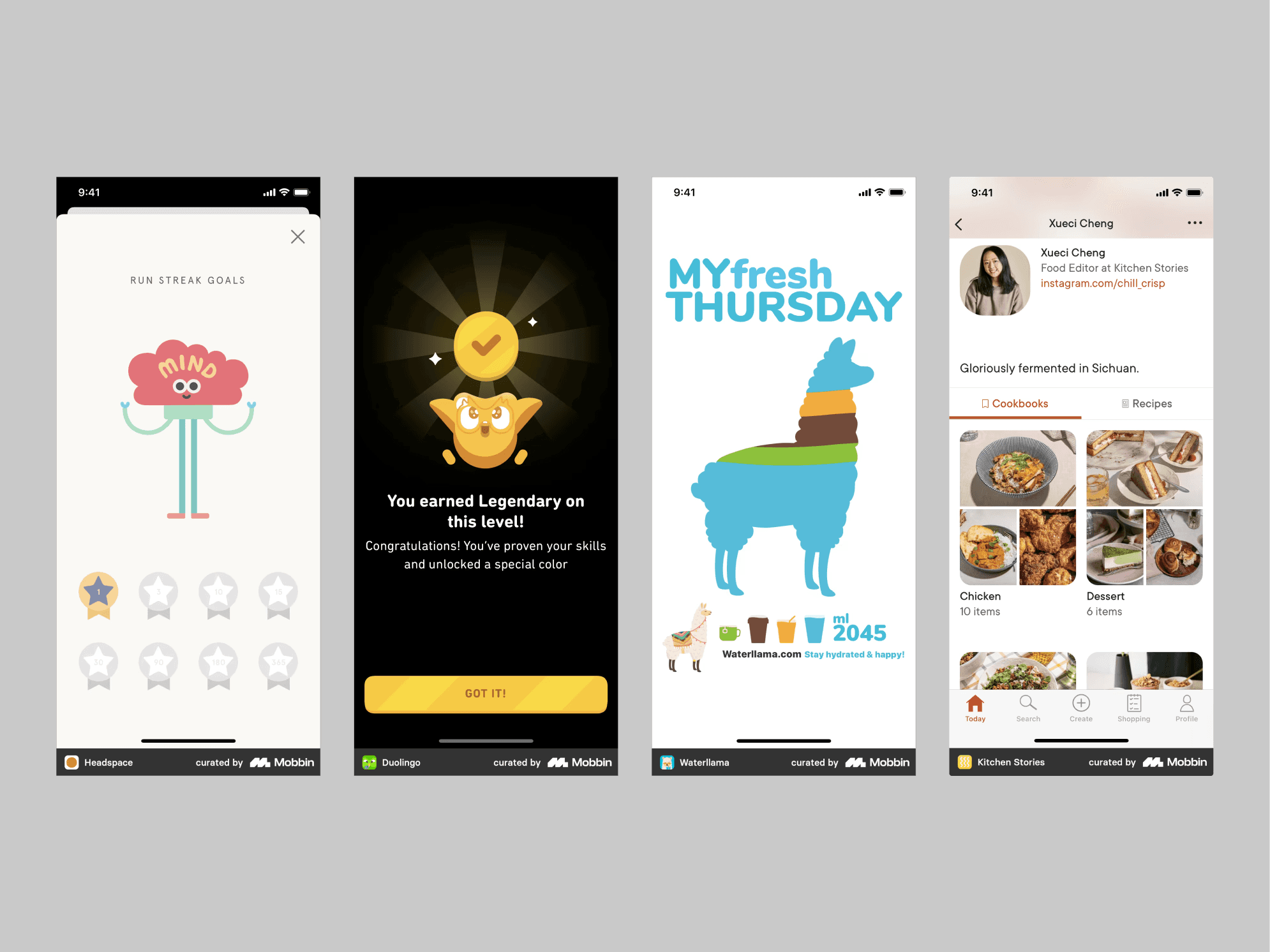
This image highlights mobile app designs that boost motivation, encourage healthy habits, and simplify choices. Headspace rewards meditation streaks, Duolingo motivates with badges, Waterllama makes hydration fun with cheerful reminders, and Kitchen Stories simplifies decision-making with organized cookbooks.
Psychological Impact
Mobile app designs have a significant impact on user psychology. Techniques such as positive reinforcement encourage healthy habits and reduce decision fatigue. By incorporating features such as progress trackers, streamlined decision-making, and motivational feedback, mobile apps can influence behavior, promote well-being, and enhance overall satisfaction.
Positive Reinforcement
Mobile apps that use positive reinforcement techniques—such as badges or progress trackers—motivate users by acknowledging their accomplishments. This approach is especially effective on mobile devices, where quick, engaging interactions are key. Celebrating milestones increases user satisfaction, promotes healthy habits, and strengthens loyalty.
Minimize Decision Fatigue
Apps that minimize decision fatigue simplify user choices through curated options and clear navigation. For instance, meal planning that suggests recipes based on dietary preferences helps users make fast, stress-free decisions. This streamlined experience respects users’ time and reduces cognitive load, making the app more user-friendly.
Encourage Healthy Habits
Apps that promote well-being use design to motivate healthy mental and physical habits. By tracking progress and providing feedback, these apps help users achieve goals like regular exercise or mindfulness. Motivational design elements foster a positive and engaging journey toward better health.
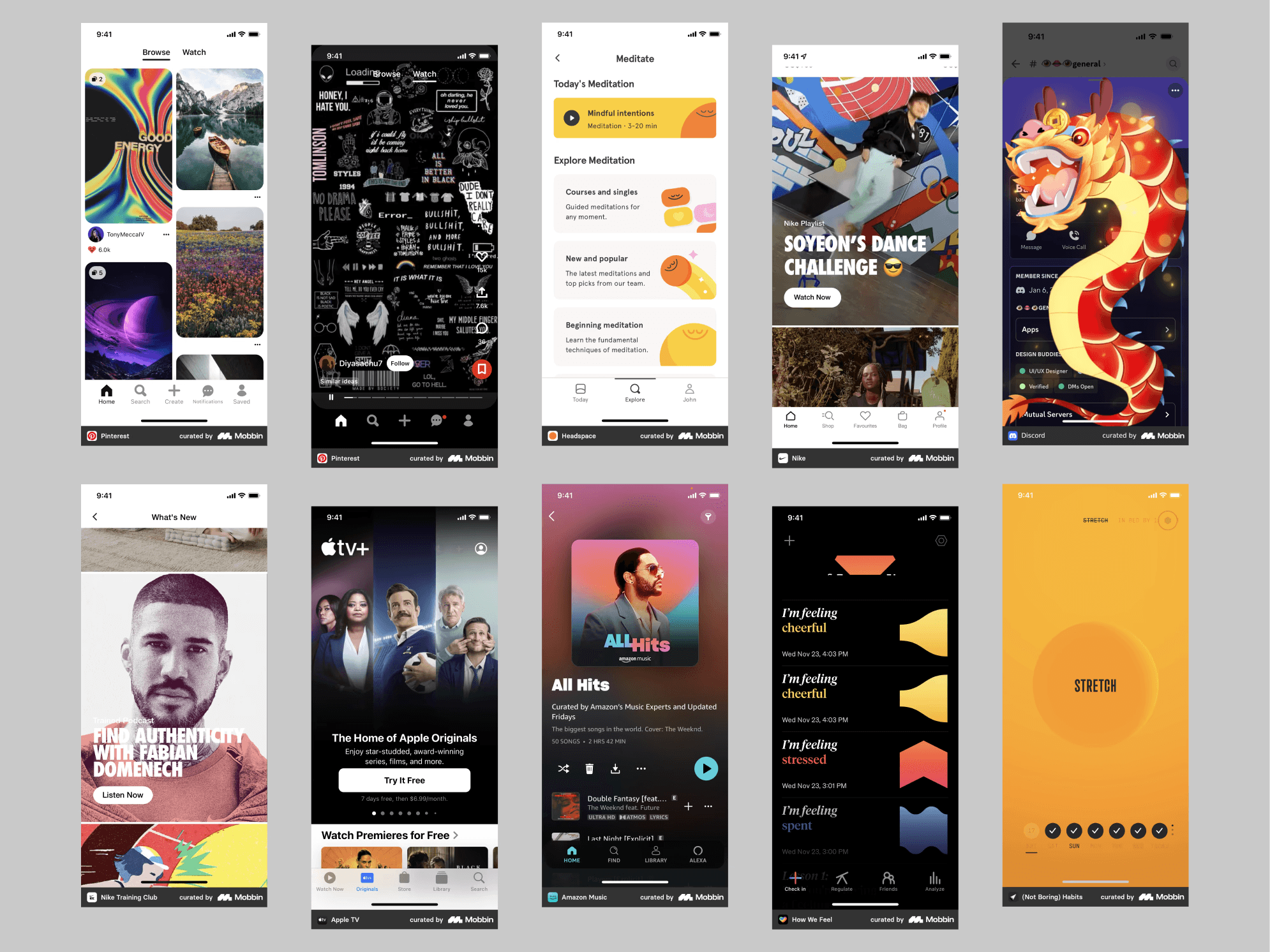
Exploring Mobbin reveals a wealth of visual designs for mood boards and design themes. This approach exposes you to unique apps beyond your usual picks, eliminating the need to download multiple apps just to see their interiors. Notable highlights include Nike Training Club, How We Feel, and (Not Boring) Habits.
Mood Boards and Design Language Development
Creating mood boards and developing a design language are key steps in mobile app design. Collecting visual themes, analyzing color schemes and typography, and studying iconography and imagery from various apps offer valuable inspiration.
Visual Themes
Gathering visual themes from various apps to create mood boards is an excellent way to find inspiration during your design process. By analyzing designs from different mobile apps, you and your team can focus on a mood or aesthetic that fits your project, without starting from scratch.
Color Schemes and Typography
Exploring the color schemes and typography of various mobile apps y provides invaluable insights for developing a cohesive design language. Focusing on combinations that enhance readability and engagement is crucial, especially on smaller screens. Effective use of color and fonts not only boosts an app’s aesthetic appeal but also ensures it remains user-friendly and accessible.
Iconography and Imagery
Mobile design inspiration helps you explore different iconography and imagery styles that align with an app’s brand and purpose. As you explore, you can find the right tone and create a memorable user experience. Studying how successful apps use visual elements to communicate with their audience gives designers valuable insights into effective visual storytelling.
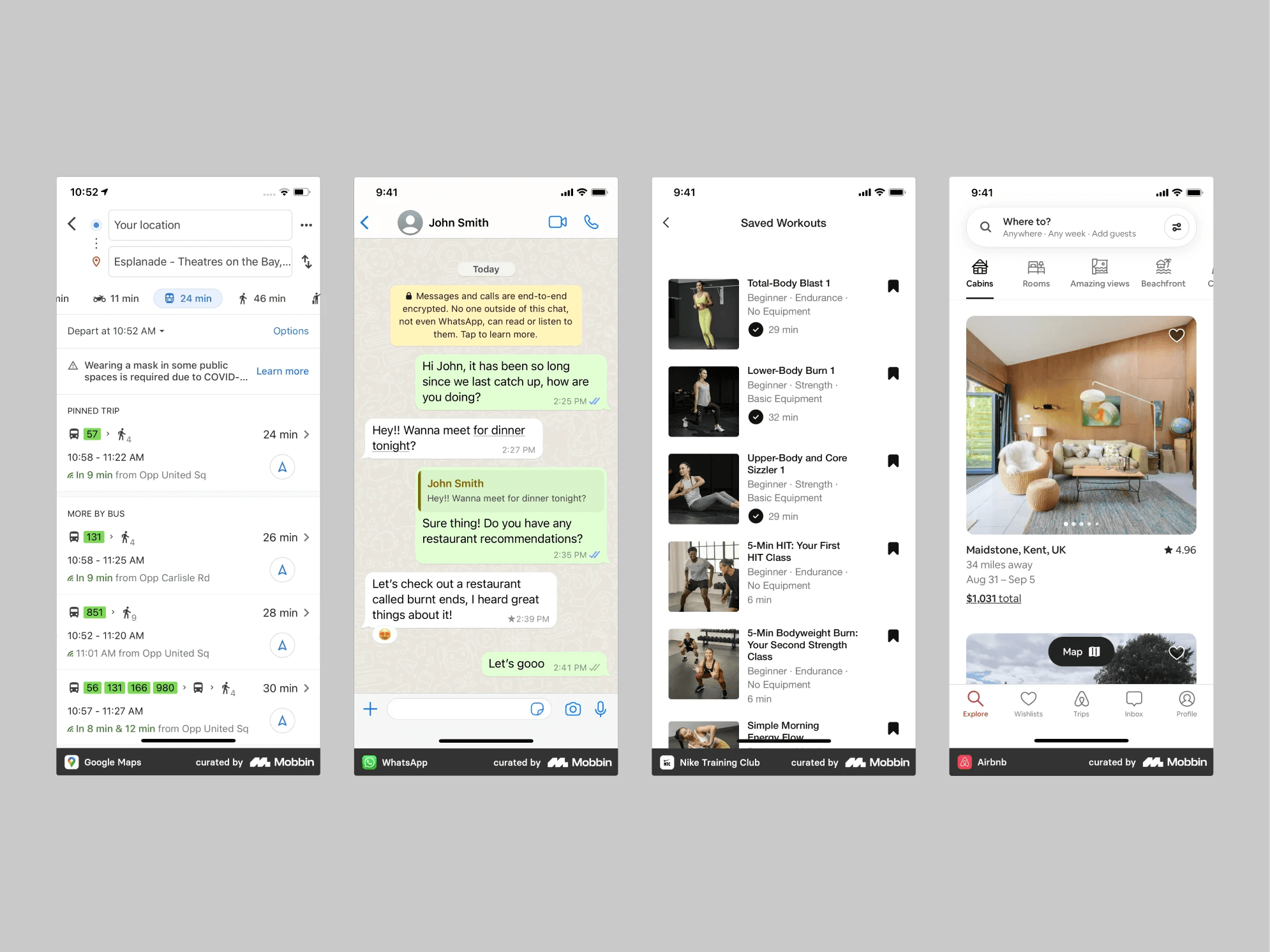
Exploring industry-leading apps on Mobbin is a great way to evaluate design patterns tested by millions of users. Notable examples include Google Maps, WhatsApp, Nike Training Club, and Airbnb.
Competitive Analysis and Benchmarking
Conducting a competitive analysis is essential when designing a mobile app. By studying successful apps, designers can identify key design patterns and innovative features that set these apps apart.
Industry Leaders
Distinct design patterns and innovative features often emerge among the most successful apps in different industries. Recognizing these patterns helps designers understand what distinguishes an app within its market and how to incorporate these characteristics into their own projects to boost engagement and satisfaction.
Feature Comparison
Comparing apps provides insights into user preferences and uncovers functionality gaps in the process, helping identify unique value propositions and ensuring your app offers something distinct or superior to what’s already available.
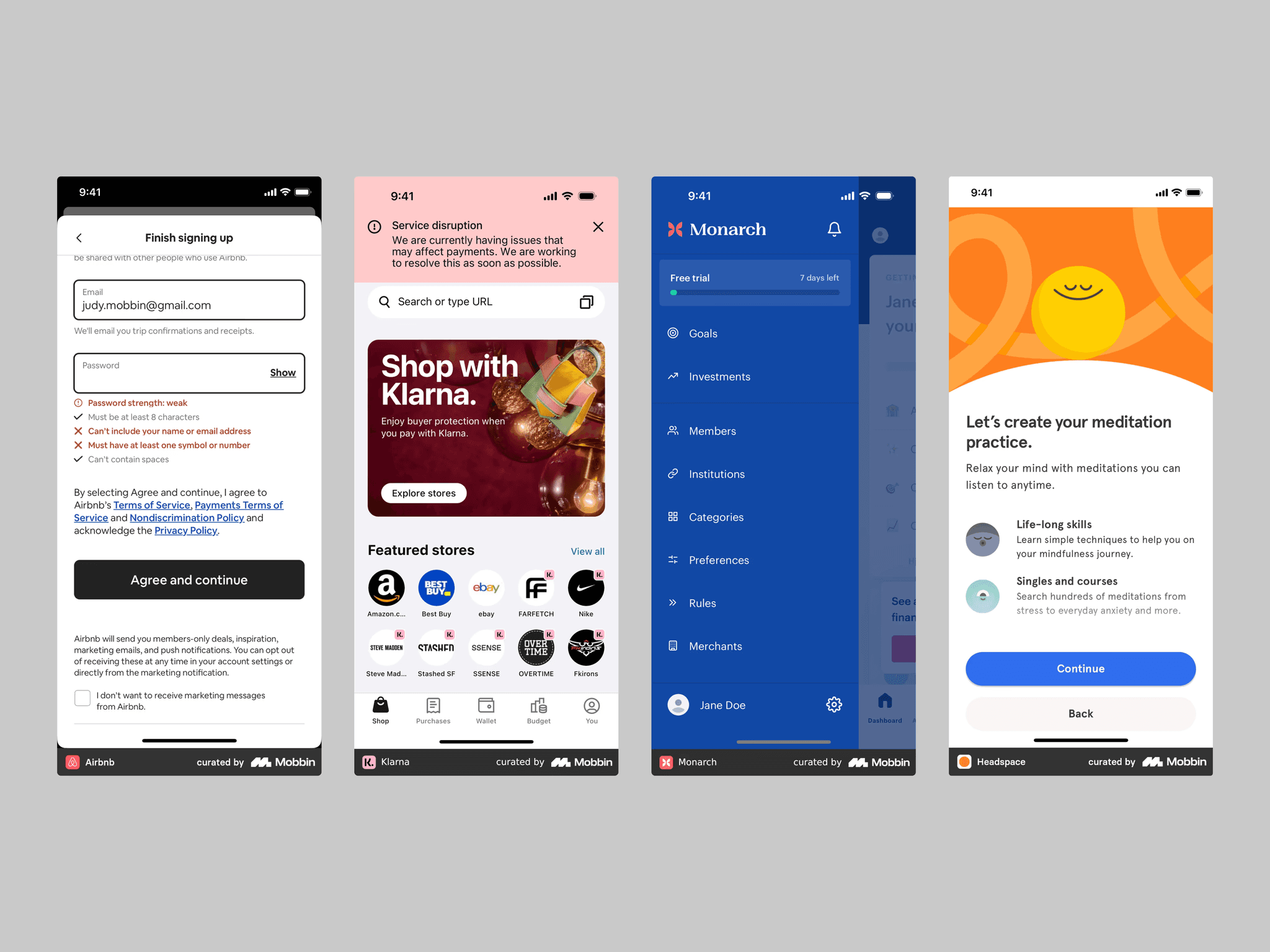
This image illustrates feedback and error handling in an Airbnb signup form, a clear service disruption notification in the Klarna app, effective navigation and free-trial progress in Monarch, and expectation-setting by Headspace.
UI/UX Best Practices
Conducting a competitive analysis is essential when designing a mobile app. By studying successful apps, designers can identify key design patterns and innovative features that set these apps apart.
Navigation Patterns
Distinct design patterns and innovative features often emerge among the most successful apps in different industries. Recognizing these patterns helps designers understand what distinguishes an app within its market and how to incorporate these characteristics into their own projects to boost engagement and satisfaction.
Interactive Elements
User engagement is a critical factor in sustaining interest. Interactive elements, such as touch-responsive animations and dynamic content, help achieve this goal. Observing how leading mobile apps use interactivity can inspire you to create a more engaging and memorable experience for your users.
Feedback and Error Handling
Effectively communicating feedback and errors is crucial in product design. A well-designed app informs users of the outcome of their actions—successful or not—through clear messages and visual cues. These communications reduce frustration and help maintain trust. Studying how other mobile apps deliver feedback and error messages can inspire improvements for your own app.
Simplification and Minimalism
Simplicity is a key principle in mobile app design because it enhances usability by removing unnecessary elements. A minimalist approach—focusing on essential features and functionality—helps achieve this simplicity. By simplifying the interface, prioritizing content, and highlighting key features, you can streamline your design for better accessibility and user-friendliness, drawing inspiration from minimalist apps.